
 English
 العربية
 Deutsch
 Español
 Français
 Italiano
 Português
 Русский
 Türkçe
 Tiếng Việt
Color Converter
Master Your Digital Palette with Our Systematic Color Converter

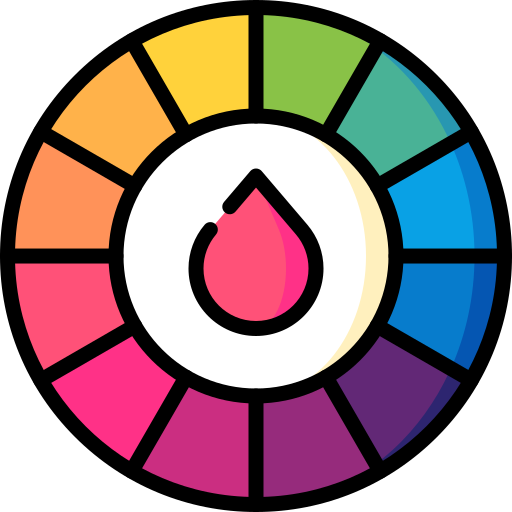


What is a Color Converter and Why is it Important?
In the world of digital design and web development, color is much more than just a visual element; it is a technical data point. Different platforms and softwares use different "languages" to understand color. For example, a web browser primarily understands HEX or RGB, while a professional printer requires CMYK values.
The Color Converter at NewsSociety is a professional utility that bridges the gap between these different color models. Whether you are a UI/UX designer trying to match a brand’s primary color or a developer coding a CSS stylesheet, our tool helps you transform any color code into the exact format you need. It is a systematic solution to ensure that your design remains consistent across all digital and physical mediums.
Understanding the Different Color Models
To use a color converter effectively, it is essential to understand the four primary models we support:
-
HEX (Hexadecimal): The most common format for web design. It consists of a hash (#) followed by six characters (e.g.,
#FF5733). It represents the intensity of Red, Green, and Blue. -
RGB (Red, Green, Blue): This model is based on light. It uses three numbers ranging from 0 to 255 (e.g.,
rgb(255, 87, 51)). It is the standard for digital screens and monitors. -
HSL (Hue, Saturation, Lightness): A more human-friendly way to describe color. Instead of mixing light, it focuses on the shade (Hue), the intensity (Saturation), and the brightness (Lightness).
-
CMYK (Cyan, Magenta, Yellow, Key/Black): The standard for the printing industry. Unlike digital models that use light (additive), CMYK uses ink (subtractive) to create colors on paper.
How to Use the NewsSociety Color Converter Tool
We have designed our interface to be highly visual and easy to navigate:
-
Step 1: Enter your known color code in any format (HEX, RGB, or HSL) into the input box.
-
Step 2: Alternatively, use our integrated Color Picker to select a shade visually.
-
Step 3: The tool will instantly display the equivalent values in all other formats.
-
Step 4: Copy the specific code you need and paste it into your Photoshop, Illustrator, or VS Code environment.
The Role of Color Consistency in SEO and Branding
You might wonder, "How does a color converter help with SEO?" At NewsSociety, founded by Jayant K. Nayak, we look at SEO holistically. Color consistency is a major part of User Experience (UX).
-
Brand Trust: If your logo's color looks different on your blog than it does on your social media, it creates a sense of unprofessionalism. Consistent colors build brand recognition and trust.
-
Readability & Accessibility: Using the HSL values from our converter, you can easily adjust the "Lightness" of your background to ensure your text has enough contrast. High contrast improves readability, reduces bounce rates, and is a positive signal to Google's ranking algorithms.
-
Professionalism in Design: A systematic approach to color ensures that your A2Z SEO Tools look polished and modern, encouraging users to stay longer on your site.
Features of Our Systematic Color Utility
Our tool is built to provide maximum value with zero friction:
-
Real-Time Preview: See the color change instantly as you tweak the values.
-
Precise Accuracy: We use advanced mathematical formulas to ensure that the conversion between RGB and CMYK is as accurate as possible for professional printing.
-
Lightweight & Fast: The tool is optimized for speed, ensuring that it doesn't slow down your workflow.
-
100% Free: Like all 151+ tools on NewsSociety, this utility is accessible to everyone without any hidden costs or subscriptions.
Best Practices for Web Designers and Developers
To make the most of our converter and improve your website's visual appeal, follow these professional tips:
1. Use HEX for Web, RGB for Apps
While both work, HEX is the industry standard for CSS. However, if you are developing native mobile apps for iOS or Android, you might find that RGB values are easier to implement in the code.
2. Leverage HSL for Hover Effects
When designing buttons, use the HSL format. To create a "hover" effect, simply keep the Hue and Saturation the same and reduce the "Lightness" by 10%. It’s a systematic way to create perfect interactive elements.
3. Always Check Your CMYK Before Printing
Colors always look brighter on a screen (RGB) than they do on paper. Before you print business cards for your NewsSociety venture, use our converter to get the CMYK values and check them against a physical Pantone chart.
Why NewsSociety is Your Go-To Creative Hub
Our mission is to provide a complete toolkit for the modern digital creator. By combining technical utilities like the Base64 Encoder with creative tools like the Color Converter, we ensure that you have a 360-degree support system. Whether you are auditing your site's performance with Turbo Reviewer or fine-tuning your website's UI, our systematic tools are designed to deliver excellence.
A successful website is a blend of great code, high-quality content, and stunning design. At NewsSociety, we provide the tools to help you master all three.
Conclusion: Transforming Colors into Code
Design is where logic meets art. The Color Converter is the tool that translates your creative vision into a format that machines and printers can understand. By removing the guesswork from color matching, NewsSociety allows you to focus on creating beautiful, high-ranking websites that captivate your audience.
Experience the ease of professional color management today. From the first pixel to the final print, our free online tool is here to bring your colors to life with systematic precision.

Jayant K. Nayak
CEO / Co-Founder
Many of life's failures are people who did not realize how close they were to success when they gave up.
